Basic proctoring that
keeps exams honest.
One-click full-screen lock, tab-switch detection, copy-paste blocking, and an integrity column right on your results page. Simple, effective proctoring without webcam hassles or complicated setup.
How it works
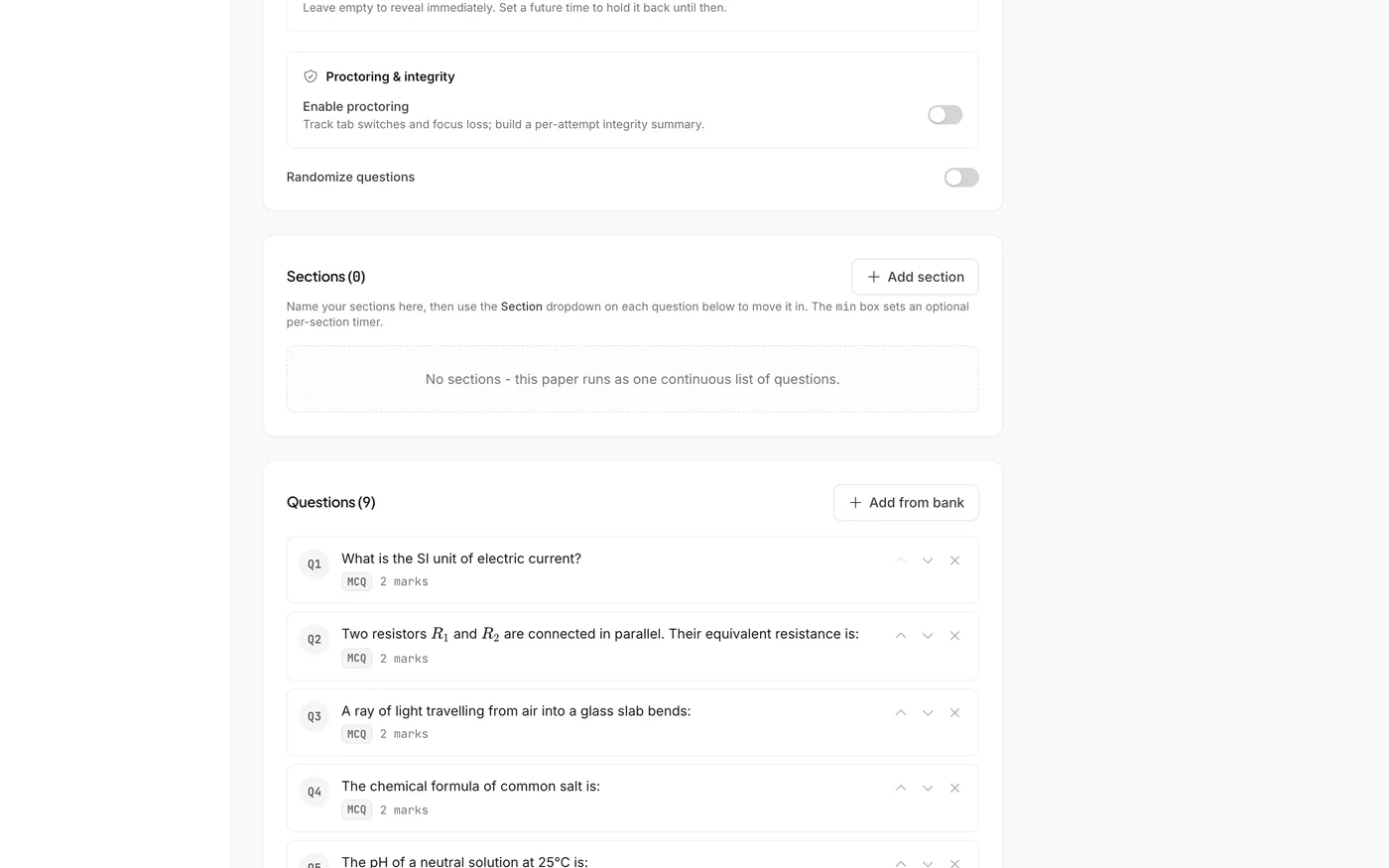
Turn on proctoring.
That's the entire setup.
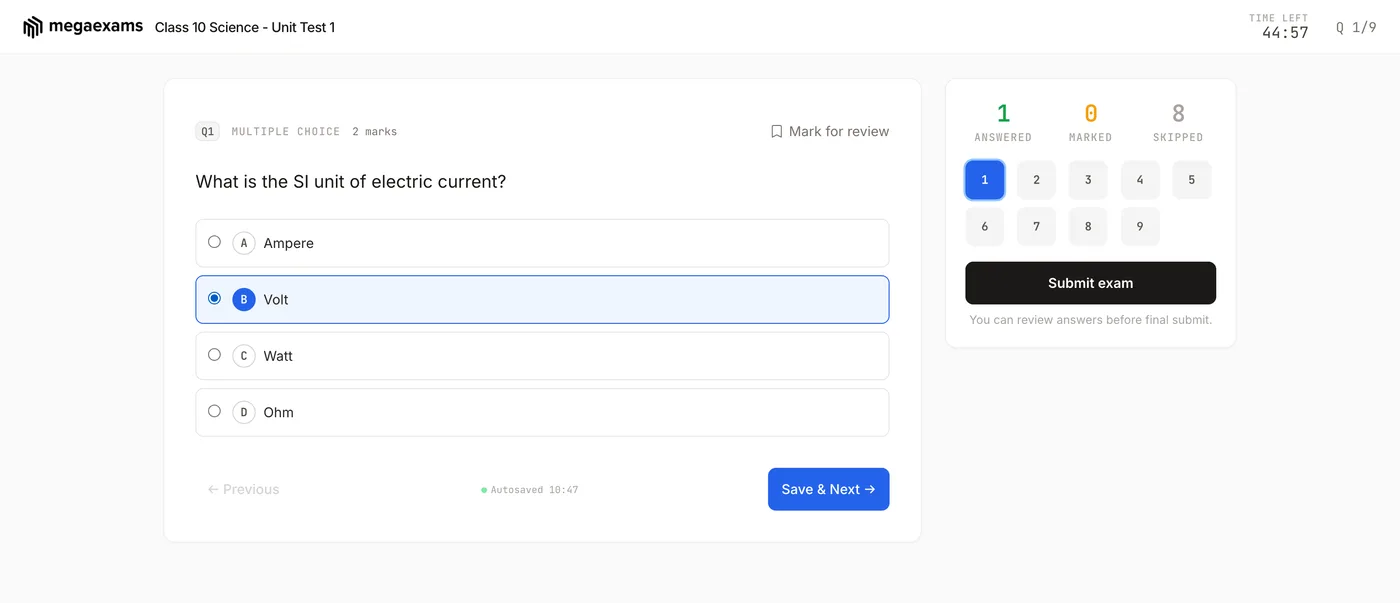
When you create an exam, toggle proctoring on. Before the paper opens, students click once to enter full-screen; if they leave it, the paper is covered until they return. Tab switches, copy-paste attempts and full-screen exits are recorded and shown to the student as a warning. Afterwards, every student on your results page carries a Clean or risk chip, and one filter lists only the clean attempts.
What you get
Cheating prevention without the complexity
Tab-switch Detection
Every time a student switches away from the exam tab - to Google, WhatsApp, or another browser tab - it's logged. You see exactly how many times each student left the exam.
Full-screen Lock
On laptops and desktops the paper only opens in full-screen, and is covered again the moment a student leaves it. Leaving full-screen without switching away is recorded. Phones cannot be locked by any browser, so there we record tab switches instead.
Integrity on the Results Page
Every student gets a Clean chip or a risk chip (low, medium, high) with the breakdown - tab switches, full-screen exits, copy-paste attempts. Filter the results to clean attempts only, and export the same columns to CSV.
Simple but effective
Everything you need to keep exams fair
Copy-paste Blocking
Right-click and copy-paste are disabled during the exam. Students can't copy questions to search for answers or paste content from external sources.
Violation Log
See a detailed log of every violation for every student - when it happened, what type (tab switch, full-screen exit), and how many total. Evidence you can review after the exam.
Signals, Not Verdicts
A tab switch can be a phone call or a notification, so nothing is auto-failed. You see the evidence, you decide - the full report per student is one click away.
Student Warnings
Students see a warning the moment they switch tabs, copy, paste or leave full-screen: "This has been recorded and shown to your teacher." Honest students correct course; the rest know they are being watched.
No Software Install
Proctoring works entirely in the browser. Students don't need to download any app, extension, or software. Just open the exam link and start.
Violation Report
After the exam, download a violation report showing which students had violations, how many, and what type. Use this to decide if any results need manual review.
Common questions
Frequently asked questions
Keep your next exam honest
Toggle proctoring on when you create an exam. Simple setup, zero hassle. Free forever. No credit card needed.
Explore more features