New feature
22 August 2026
Add YouTube lectures to your courses
Many teachers already have hours of good lectures on YouTube. Until now, students had to jump between YouTube and MegaExams - watch a video in one tab, come back to take the test in another. From today, you can put both in one place.
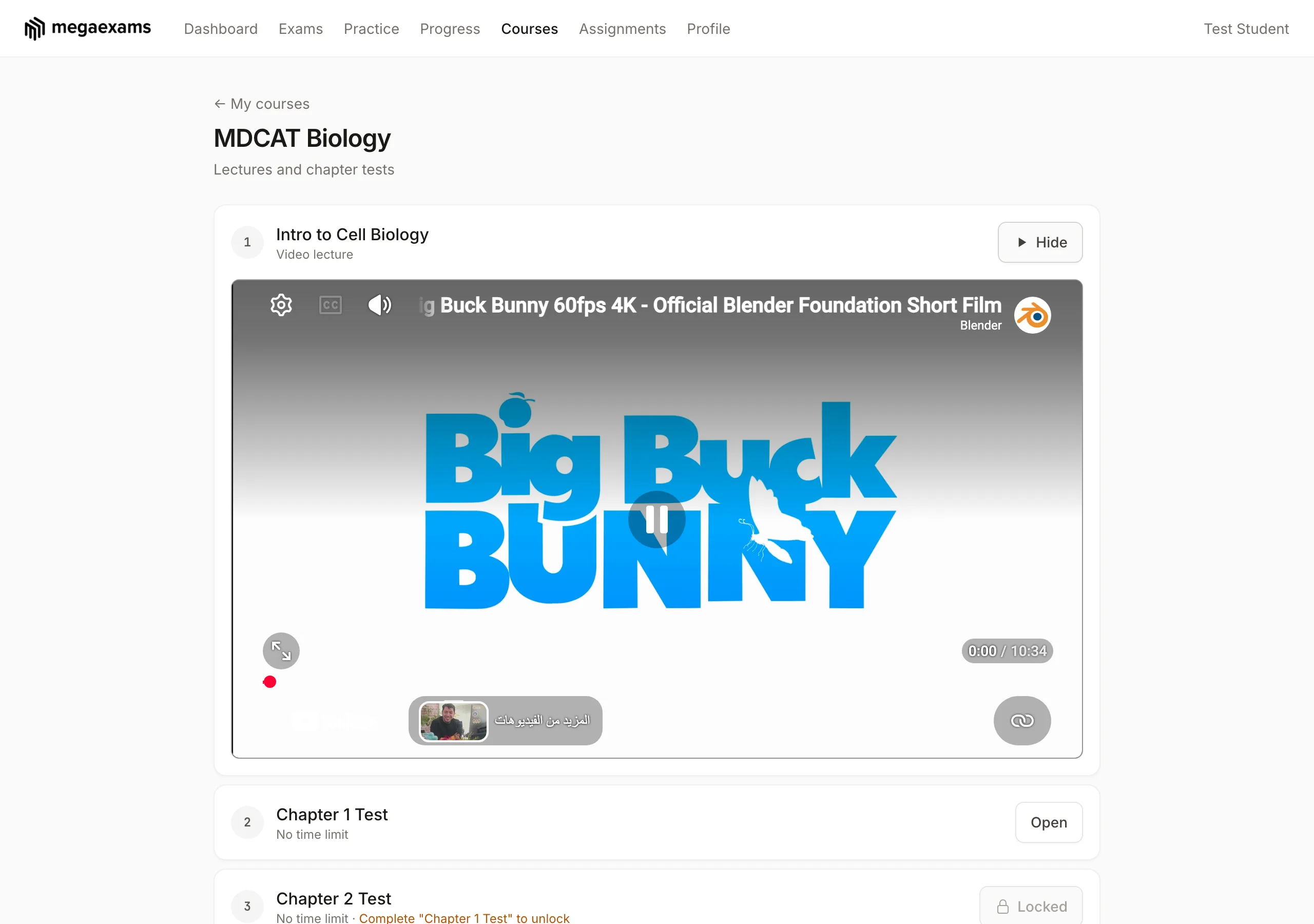
What's new
- •Paste any YouTube link into a course - regular videos, Shorts, live streams, or youtu.be share links all work.
- •Lectures and exams sit in one ordered list, so a course can read: Lecture for Chapter 1, then the Chapter 1 test, then Chapter 2, and so on.
- •Students watch without leaving MegaExams. The video loads only when they press Watch, so course pages stay fast.
- •Your exam unlock rules are untouched - sequential, score-based, manual, and scheduled unlocking all work exactly as before. Lectures themselves are always open.
How to add lectures to a course
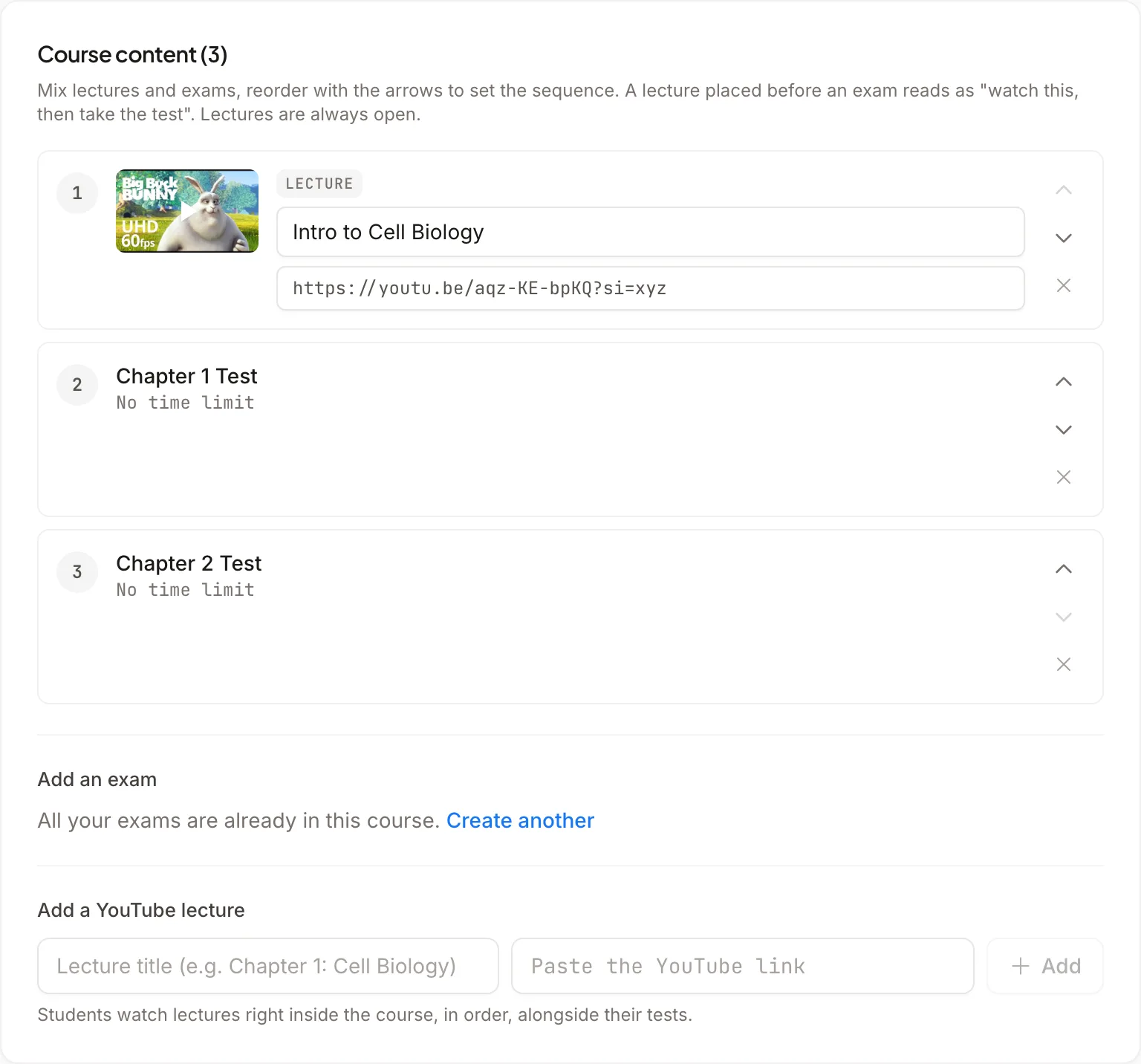
- 1 Open Courses in your admin panel, pick a course (or create one), and click Edit.
- 2 Under Course content, find "Add a YouTube lecture". Give the lecture a title, paste the YouTube link, and click Add. You'll see the video thumbnail appear immediately - if the link isn't a valid YouTube video, we tell you on the spot.
- 3 Use the arrows to reorder. Place each lecture right before the exam it prepares students for - the numbering updates as you go.
- 4 Click Save changes. That's it - the course page updates for every enrolled student instantly.
Good to know
- •Privacy-friendly. Videos play through YouTube's no-cookie player, so no tracking cookies are set until a student actually presses play.
- •Edit any time. Change a lecture's title or link from the same editor - the thumbnail refreshes to confirm the new video.
- •Share with one link. Your course's short URL (shown on the course page) takes students straight to the full series - lectures, tests, and all.
- •Not only YouTube (added September 2026). YouTube's player shows "more videos" from your channel when a student pauses, and there is no setting to remove them. If you would rather keep students on your lecture alone, upload the recording to Google Drive, share it as "Anyone with the link", and paste that link - or paste a direct link to an .mp4 file. Drive and direct-file lectures never show other videos. When a YouTube lecture ends, students now see a simple "Watch again" card instead of YouTube's suggestions.
This feature came directly from a teacher who runs a medical-entrance prep channel on YouTube and wanted his tests and lectures in one flow for his students. If a feature would make your teaching easier, tell us - requests like this one usually ship fast.
Put your lectures to work
Create a free course, add your YouTube lectures, and attach a test to each chapter. Free forever, no catches.